Juris Study
An SQE preparation platform in development for aspiring solicitors, built around practice, confidence and reflection, and open now as a free early-access pilot.
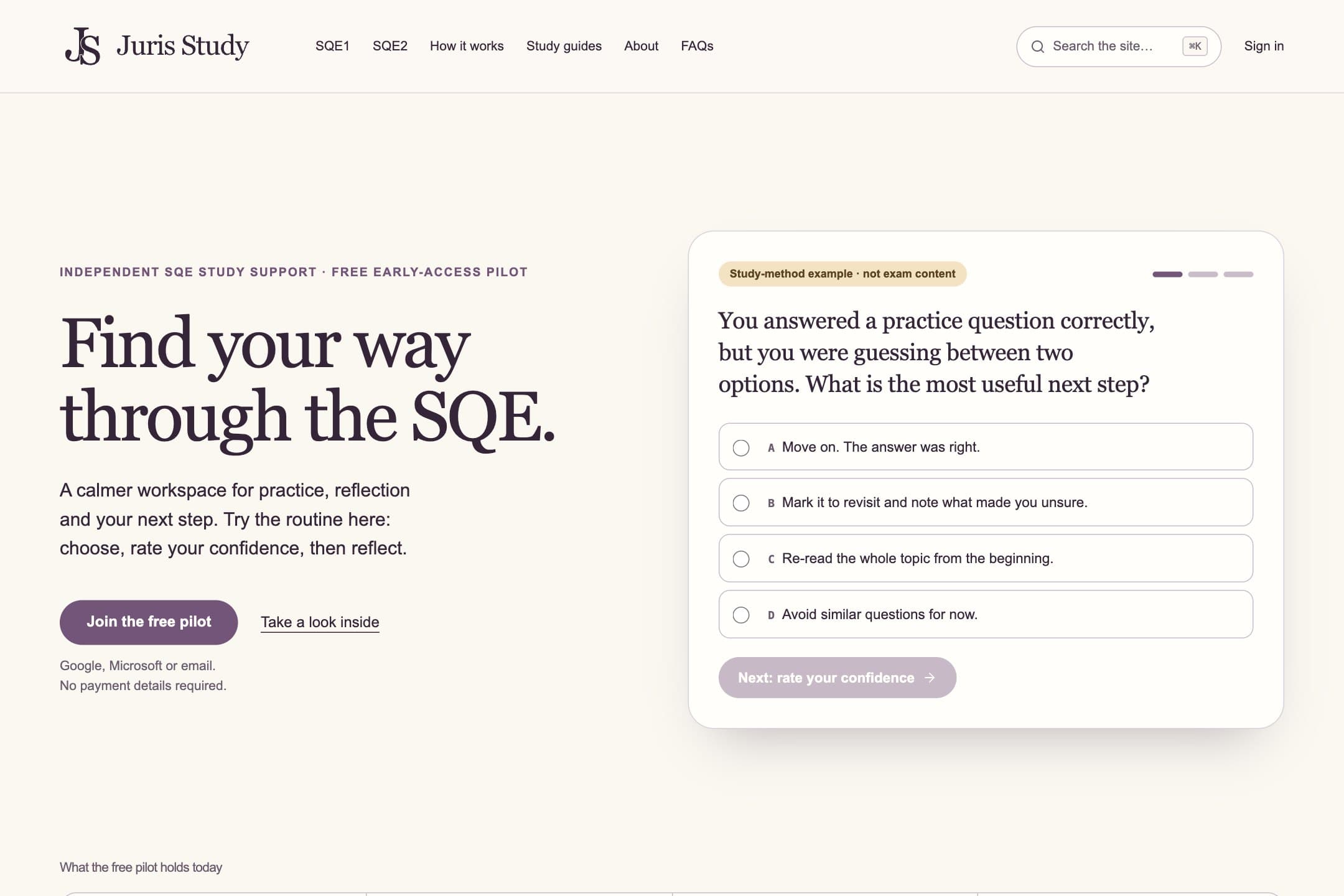
A right answer isn’t always an understood one.
Juris Study asks how sure you were before it shows the answer, so a lucky guess is kept for another look instead of being counted as a success.
Try it: answer the sample study-method question, rate your confidence and see where it goes. This is an invented example, not SQE exam content. Simplified model. No client data. No production actions.Juris Study
A right answer, understood.
Explore how the product works with illustrative data.
The problem behind the brief
Candidates for the Solicitors Qualifying Exam face a very large syllabus, often while working. Marking an answer right or wrong tells them little: a lucky guess and a real gap look the same, and the questions they were unsure about get lost among the rest.
We’re designing Juris Study around a short routine: answer, rate your confidence, then reflect. The learner workspace keeps uncertain and wrong answers together for another look, separates first attempts from repeats, and holds lessons, sources and notes beside the questions. Behind it, a staff portal lets the team write, review and publish content with a full revision history.
Under the surface
A calm place to practise. A careful system behind it.
Legal study content has to be accurate, attributed and reviewed before a learner sees it, and a learner’s own work has to stay private. The platform keeps those two sides apart: learners get a quiet workspace, and the team gets the tools to prepare content without publishing anything by accident.
Public site
SQE1 and SQE2 pages, study guides, FAQs and site search explain the approach, and visitors can try the study routine before signing up.
Prospective candidates · SQE1 and SQE2 pages / Study guides / Try the routinePractice and reflection
Questions are marked on the server, answers stay hidden until submission, and each attempt records the learner’s confidence so guesses and real gaps stand apart.
Learners · Server-side marking / Confidence / First and repeat attemptsMistake clinic and notes
Wrong and uncertain answers gather in one place, with the reasoning the learner wanted to remember saved next to the question that taught it.
Learners · Mistake clinic / Bookmarks / Saved notesSQE2 written work
Written exercises run in guided or timed mode. Drafts save to the account, submissions are locked once sent, and tutor feedback is released back to the learner.
Learners and tutors · Timed mode / Saved drafts / Tutor feedbackStaff portal
Questions, lessons and mocks are edited as new revisions, then reviewed and published as separate steps, with spreadsheet imports, staff roles and a fresh security check before staff tools open.
Editors, reviewers and administrators · Revisions / Review and publish / Staff rolesHow the work moves
Each hand-off has a next step.
- 01Choose
Pick FLK1, FLK2 or SQE2, a daily target and an exam date.
- 02Practise
Answer a question and rate how sure you were before checking.
- 03Reflect
Read the source answer, note what you missed and save the reasoning.
- 04Revisit
Uncertain and wrong answers wait in the mistake clinic for another look.
- 05Plan
A resit plan narrows the next sessions to the subjects that matter.
What we’re building
The public site and learner workspace are live at jurisstudy.co.uk as a free pilot, with 220 attributed SRA SQE1 sample questions, a syllabus map of 96 topic and skill areas, a mistake clinic, saved notes, resit plans and two introductory SQE2 written exercises. Mock exams, larger question and task banks, and solicitor-reviewed marking are still being prepared, so it is not yet presented as a complete course.
Answers are marked on the server and are never sent to the browser before a learner submits. Every content change is a new revision, review and publish are separate steps, and a published question keeps its earlier answer key for anyone part-way through an attempt. Staff tools need a recent passkey or authenticator check on top of sign-in.